Open Closed Principle in React
The open/closed principle was created mainly with object-oriented programming in mind. But the concept applies outside of OO too. Here’s a simple example in React — no classes, no inheritance.
The official principle: software entities should be open for extension, but closed for modification.
In other words, you should be able to add new features without modifying existing features. At a more basic level: you should be able to add new code without modifying existing code.
If old code never changes, it never breaks. That puts you in a position where you can add new code with a 0% chance of breaking the old stuff.
A Field component
Say we’re building a form. Each field needs a label, an optional required-asterisk, and an input.
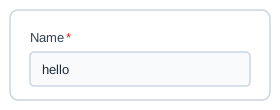
One way to build it
const Field = ({ isRequired, type, value, displayName }) => {
  const renderComponent = () => {
    if (type === "text") {
      return <TextBox value={value} />;
    } else if (type === "number") {
      return <NumberBox value={value} />;
    } else if (type === "boolean") {
      return <CheckBox value={value} />;
    }
  };

  return (
    <div style={{ padding: 10 }}>
      {isRequired && <span>*</span>}
      <div>{displayName}</div>
      {renderComponent()}
    </div>
  );
};
Used like this:
<Field type="text" value="hello" displayName="Name" />Now say we need a new field type — a single select. With this design, the only place to add it is inside Field.jsx:
const renderComponent = () => {
  if (type === "text") {
    return <TextBox value={value} />;
  } else if (type === "number") {
    return <NumberBox value={value} />;
  } else if (type === "boolean") {
    return <CheckBox value={value} />;
  } else if (type === "singleSelect") {
    return <SingleSelect value={value} />; // new — added to a function every other field type depends on
  }
};<Field type="singleSelect" value="abc" displayName="Abc" isRequired={true} />It works. But look at what you had to touch to make it work: Field.jsx. That’s not some isolated file — it’s a common file, probably imported all over the codebase. Every text field, number field, and checkbox in the app renders through that same renderComponent function. The moment you edit it to add single select, you’re also touching the code path that renders every field that already exists. Get something wrong, and you don’t just break single select — you risk breaking text, number, and checkbox fields too.
The other way to build it
Instead of Field knowing about every type, it just renders whatever it’s given:
const Field = ({ isRequired, children, displayName }) => {
  return (
    <div style={{ padding: 10 }}>
      {isRequired && <span>*</span>}
      <div>{displayName}</div>
      {children}
    </div>
  );
};
Each field type becomes its own small component that wraps Field:
const TextField = ({ value, displayName, isRequired }) => {
  return (
    <Field displayName={displayName} isRequired={isRequired}>
      <TextBox value={value} />
    </Field>
  );
};
Now, adding single select doesn’t touch Field.jsx at all — it’s a new file:
// SingleSelectField.jsx
const SingleSelectField = ({ value, displayName, isRequired }) => {
  return (
    <Field displayName={displayName} isRequired={isRequired}>
      <SingleSelect value={value} />
    </Field>
  );
};<SingleSelectField value="abc" displayName="Abc" isRequired={true} />No risk to TextField. No risk to NumberField. No risk to CheckboxField. Field.jsx never changes again.
Takeaway
That’s the open/closed principle: you should be able to add new code without modifying existing code. Closed for modification, open for extension.
With this principle, you can build new stuff without putting old stuff at risk — there’s just less chance of breaking things. And with fewer people editing the same file, there’s less chance of merge conflicts too.